
TL;DR
Buying an AI workstation often saves time and offers validated thermals, but building gives control and customization. With component prices rising, compare real costs for your setup today.
Imagine this: you need a powerful AI workstation, and your instinct says build it yourself to save money. But in 2026, that’s no longer a given. The AI boom has driven component prices sky-high, turning the usual cost math inside-out.
Now, the real question isn’t just about saving a few bucks—it’s about speed, support, and control. Do you want to spend months sourcing parts, tuning thermals, and troubleshooting, or pay a premium for a ready-to-go, validated machine? This article breaks down the latest landscape, comparing build versus buy, so you can pick the option that aligns with your goals and your team’s skills.
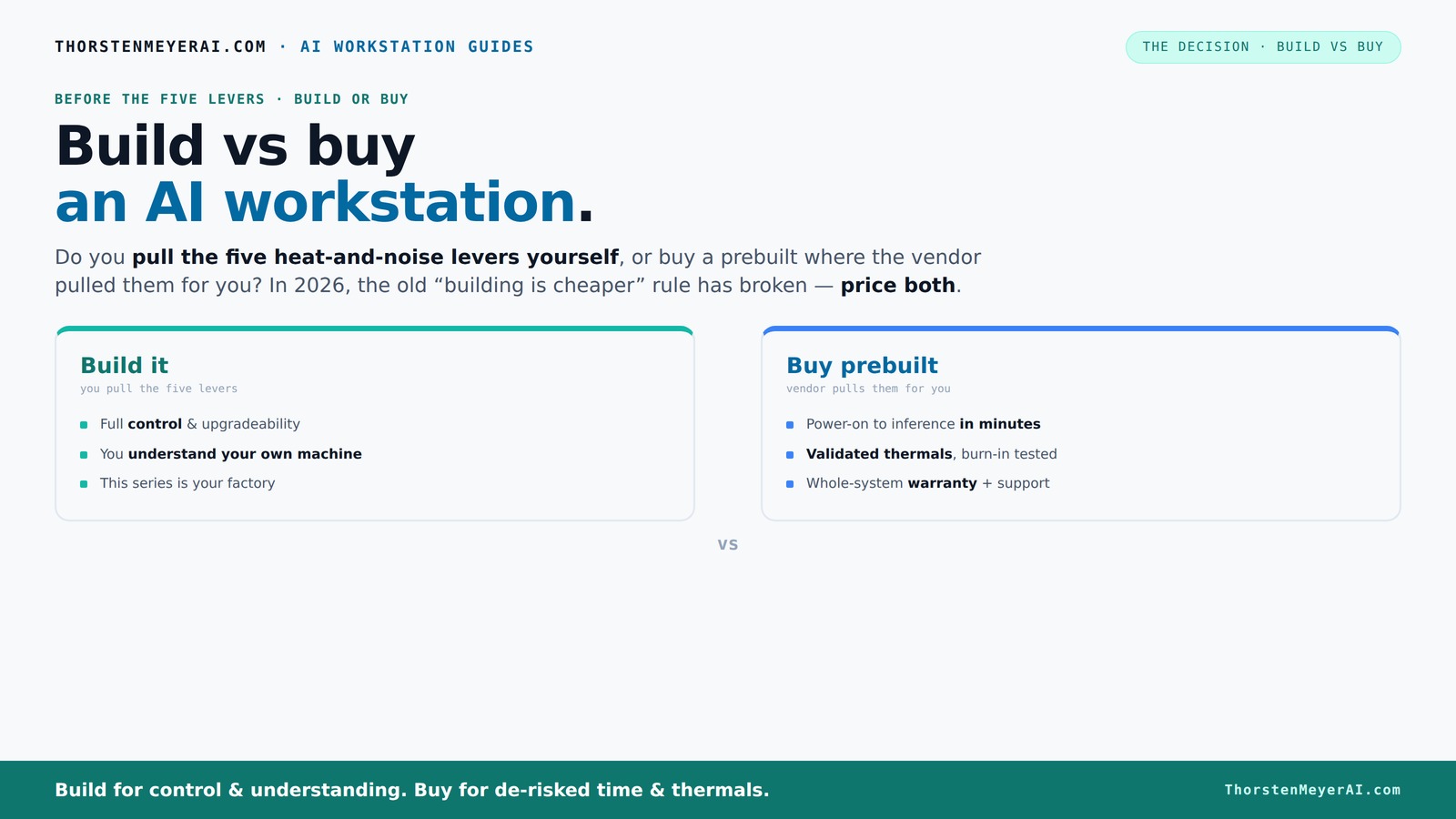
Build vs buy
an AI workstation.
The real question behind this whole series: do you pull the five heat-and-noise levers yourself, or buy a prebuilt where the vendor pulled them for you? And in 2026, the old “building is cheaper” rule has broken. Match your situation in Part 3.
Key Takeaways
- Component shortages and rising prices in 2026 mean building your own AI workstation is often more expensive and slower than before.
- Prebuilt systems from trusted vendors come with validated thermals, support, and quick deployment, often at a comparable or even lower price.
- Thermal management and noise control are critical—buying prevalidated systems handles this for you, saving time and hassle.
- A hybrid approach—buy the base system and customize the software or cooling—strikes a balance between control and convenience.
- Always compare total costs, including hidden operational expenses, before deciding to build or buy.

WIWB Gaming PC Desktop Core I9-14900HX, RTX 5060 Ti 8G, 1TB NVME SSD
- Powerful Processor: Intel Core i9-14900HX with 24 Cores
- High-Performance Graphics: GeForce RTX 5060 Ti 8GB GDDR7
- Fast Memory & Storage: 16GB DDR5 RAM with 1TB NVMe SSD
As an affiliate, we earn on qualifying purchases.
As an affiliate, we earn on qualifying purchases.
Why 2026 Changes Everything for Build vs Buy
In the past, building an AI workstation was almost always cheaper. Not anymore. The recent surge in component costs—thanks to shortages and high demand—has pushed prices for GPUs, DDR5 RAM, and SSDs up by 20-50%. For example, a high-end GPU that used to cost around $1,200 now often hits $1,500 or more.
Meanwhile, big vendors buy components in bulk before these hikes, allowing them to offer prebuilt systems at prices that are hard to beat. This shift means the traditional advantage of building — lower cost — is shrinking or even disappearing. The implications are significant: it forces you to re-evaluate whether building still makes financial sense or if prebuilt options now offer better value, especially considering the time and effort involved in sourcing, assembling, and tuning your own system. The tradeoff becomes not just about raw costs but also about opportunity cost, reliability, and peace of mind.

The Horizon RGB I9 RTX Gaming Desktop Computer PC || Core I9 CPU Upto 5.4GHz || 32GB RAM || 2TB Storage || RTX 5070 || 360MM AIO || 1.2GB/s WiFi, VR and Gaming Ready || Windows 11 Home
- Powerful CPU: Core i9 Unlocked OC up to 5.4GHz
- Ample RAM: 32GB DDR4 Memory for multitasking
- Fast Storage: 1TB NVMe SSD + 1TB HDD
As an affiliate, we earn on qualifying purchases.
As an affiliate, we earn on qualifying purchases.
The Five Levers of Heat and Noise — Who Controls Them?
Building or buying a high-performance AI workstation boils down to managing heat and noise, which directly impact system stability, longevity, and your working environment. The five levers—undervolting the GPU, matching the cooling solution, optimizing airflow, tuning fan curves, and choosing the right placement—are critical because they influence thermal efficiency and acoustic comfort. Mastering these allows for quieter operation, better hardware lifespan, and consistent performance under load.
If you buy from a vendor like Lambda or Puget, they handle this for you. Their systems undergo rigorous testing—sometimes 48 hours of stress testing—to ensure they stay cool and quiet under load. This pre-validation is a form of risk mitigation, saving you from potential thermal throttling or excessive noise that can hamper productivity or damage components. It’s an investment in reliability, especially vital for long-term, intensive AI workloads.
Building your own means pulling these levers yourself. You select a quiet GPU (see here), choose a cooler (more info), and set up airflow (guidance). This process allows you to tailor thermal and acoustic performance to your specific environment and preferences but demands technical skill, patience, and ongoing maintenance. The tradeoff is control versus effort—while DIY can optimize for your exact needs, it can also lead to suboptimal results if not done carefully, risking overheating or noise issues that impact your workflow.

ASUS ROG Astral LC GeForce RTX 5090 32GB GDDR7 OC Edition, NVIDIA, Graphics Card, for Desktop PC, HDMI 2.1b/DisplayPort 2.1b – 360mm AIO Cooler for Optimal Performance
- Architecture: NVIDIA Blackwell with DLSS 4
- Clock Speed: Boosts up to 2610 MHz
- Cooling System: 360mm radiator for optimal cooling
As an affiliate, we earn on qualifying purchases.
As an affiliate, we earn on qualifying purchases.
Comparison Table: Build vs Buy in 2026 — What Really Matters
| Feature | Build Your Own | Buy Prebuilt |
|---|---|---|
| Cost (approximate) | $1,250+ for high-end GPU + parts; may vary | $1,500–$2,000 for validated systems |
| Time to Deploy | Many months, sourcing parts & tuning | Weeks, ready-to-run |
| Control & Customization | Full control over components & cooling, allowing tailored thermal solutions and hardware choices. This can optimize performance but requires expertise and time. | Limited, vendor-specific options. Prebuilts are optimized for general performance, but customization is minimal, which might limit optimization for niche workloads or specific thermal/noise preferences. |
| Support & Warranty | Self-managed; support is DIY, which can lead to longer resolution times and potential downtime if issues arise. | Vendor-backed, often 3-5 years, providing peace of mind and faster troubleshooting. |
| Thermal & Noise Optimization | You tune it yourself, which can lead to highly optimized thermal and acoustic profiles if done correctly. However, improper tuning can cause overheating or excessive noise, impacting performance and hardware lifespan. | Pre-validated; factory tuned for balanced performance, thermal stability, and noise levels, reducing the risk of issues and saving time. |
| Upgrade Flexibility | High; swap parts easily, adapt to evolving needs, and perform targeted upgrades. This flexibility can extend the system’s lifespan but requires ongoing effort and knowledge. | Limited; depends on vendor design. Many prebuilt systems are less upgrade-friendly, potentially leading to higher long-term costs if future upgrades are needed. |

Cloud Ninjas Iron Bull AI Workstation Designed for Dassault Systemes Catia Ryzen Threadripper PRO 9975WX 4.0GHz 32 Core Geforce RTX PRO 6000 Blackwell Max Q Workstation 96GB GPU 256GB DDR5 4TB M.2
- Processor: Ryzen Threadripper PRO 9975WX 4.0GHz, 32 cores
- Memory: 256GB DDR5 ECC RAM
- Graphics Card: GeForce RTX PRO 6000 96GB
As an affiliate, we earn on qualifying purchases.
As an affiliate, we earn on qualifying purchases.
When Building Makes Sense — and When It Doesn’t
If you have the skills, time, and a specific workflow, building your own system can give you that perfect fit—like tuning a race car to your exact specs.
But if your priority is rapid deployment, minimal hassle, and reliable performance, buying wins. For example, a startup needing immediate AI inference capacity might find a prebuilt system like those from BIZON or Lambda more practical, as it reduces setup time and mitigates risks associated with DIY assembly and tuning.
Also consider your support needs. If a hardware glitch halts your work, a vendor offering a warranty and support can save days or weeks. DIY repairs, while satisfying and educational, can lead to longer downtimes, especially if troubleshooting becomes complex or if you lack the necessary expertise. The tradeoff is between control and peace of mind—evaluating which aligns better with your operational priorities.
The Hybrid Approach: Best of Both Worlds
The smartest move in 2026 often isn’t choosing one or the other but combining both. Buy a validated, high-quality workstation from a trusted vendor, then customize or optimize the software stack, cooling, or workflows. This hybrid approach allows you to leverage the reliability and support of prebuilt systems while still tailoring aspects that matter most to your specific workload or environment.
For example, you might purchase a system with proven thermal performance and upgrade its cooling or software stack to improve noise profiles or performance. This strategy minimizes the risks and time associated with building from scratch but still grants a degree of customization that can enhance hardware longevity and operational efficiency.
Many organizations adopt this hybrid model—buy the platform, build the differentiating layers—especially when speed, reliability, and some level of customization are essential for competitive advantage or operational stability.
The Hidden Costs of Going DIY
Building your own AI workstation isn’t just about saving money. Hidden costs sneak in—driver conflicts, component validation, troubleshooting, and ongoing upgrades. These hidden expenses can turn a seemingly cheaper build into a money drain, especially if you lack experience or encounter unforeseen compatibility issues.
For example, matching the right cooling and power supply for a high-VRAM GPU isn’t trivial; choosing incompatible or suboptimal components can cause thermal throttling, noise issues, or hardware failures that require additional purchases or extensive troubleshooting. These problems not only delay deployment but can also lead to higher long-term costs, as resolving them often involves trial-and-error and repeated component testing.
Support is another hidden factor. When something breaks, DIY means hours of research, diagnosing, and potentially shipping parts back or replacing components. Vendor support and warranty services can resolve issues rapidly, minimizing downtime. Overlooking these operational costs can make DIY systems more expensive and less reliable over their lifespan than initially expected.
Choosing Your Path: Quick Checklist
- Assess your timeline: do you need a system in weeks or months? Rapid deployment favors prebuilt systems, while building allows for tailored solutions if you have the time.
- Evaluate your technical skills and support capacity. Skilled teams can handle DIY more effectively, but novices might prefer vendor support.
- Compare current component prices vs prebuilt costs—don’t assume past savings still apply, especially given the recent price hikes.
- Decide how much control and customization you want versus convenience. This affects thermal tuning, hardware choices, and future upgrades.
- Consider your data security and compliance needs, which might influence hardware choices and support options.
- Think about future upgrades and lifecycle support, as these impact long-term costs and system flexibility.
- Decide if a hybrid approach fits your organization’s strategy, balancing reliability with customization.
Frequently Asked Questions
Is it cheaper to build or buy an AI workstation in 2026?
In many cases, buying a prebuilt system offers comparable or even lower costs due to component shortages and bulk purchasing. Always compare current prices for your specific configuration before deciding.How much time do I really save by buying prebuilt?
A prebuilt system can be ready in as little as a few weeks, whereas building from scratch often takes several months, especially when sourcing parts, tuning thermals, and troubleshooting.What hidden costs come with building my own workstation?
Hidden costs include driver conflicts, component validation, thermal tuning, troubleshooting, potential downtime, and ongoing upgrades. These can add up quickly, making DIY more expensive and time-consuming than expected.Which is better for AI training—build or buy?
If you need rapid deployment, support, and proven thermals, a prebuilt system is often better. For highly specialized workflows or custom cooling, building can give you the control you need.How does future upgradeability compare between build and buy?
Building gives you the flexibility to swap parts easily, while prebuilt systems may limit upgrade options, especially if they’re designed as sealed units. Consider your upgrade plans upfront.Conclusion
In 2026, the decision to build or buy your AI workstation is no longer just about saving money. It’s about balancing speed, control, support, and total cost of ownership.
If you need a reliable, ready-to-go system that keeps noise and heat in check, buying is often the smarter move. But if your workflow demands custom cooling, specialized hardware, or deep control, building your own can still make sense—if you have the time and expertise.
Choose wisely. Your AI projects depend on it—and so does your peace of mind. In this heat of the AI boom, sometimes the fastest, most reliable path is a prebuilt machine, ready to power your breakthroughs.